

High-Persistence WordPress Management Toolkit: autodeploy.php
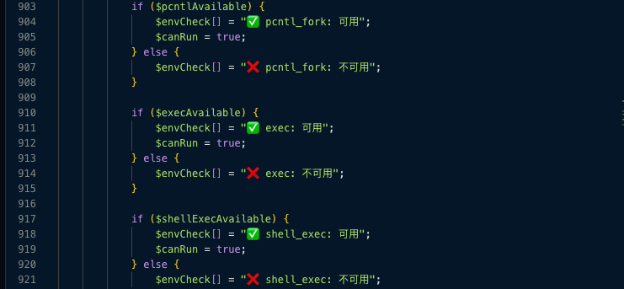
This PHP script is a post-exploitation toolkit designed to automate the infection and "cloaking" of WordPress sites. Its primary goal is stealthy persistence, ensuring that even if an admin deletes a suspicious file, the malware remains embedded in the database or core system files.
Deconstructing the toolkit
1. Advanced Persistence Mechanisms
The script offers two clever ways to hide its secondary payloads:
- The GZIP "Shadow" File: It creates a directory at
/wp-includes/blocks/(a path that looks legitimate) and drops a file namedcron.gz.It then uses thecompress.zlib://wrapper to execute the code directly from the compressed archive. Most basic scanners look for plain-text PHP; they don't scan inside GZIP files referenced by wrappers.
- The Database "Hook": This is the most dangerous feature. It encodes the payload (Gzip + Base64 + Hex) and injects it into the legitimate
wp_optionstable under the key _wp_cache. It then modifieswp-settings.phpto pull that data, decode it, and run it every time the site loads.
2. Time-Travel Evasion (Timestomping)
The function preserveTime() is a "malware researcher's headache."
$mtime = file_exists($file) ? filemtime($file) - 60 : time() - 60;
...
@touch($file, $mtime, $atime);
Before modifying a core file like index.php or wp-settings.php, the script records the original "Last Modified" timestamp. After injecting its malicious code, it uses the touch() command to reset the timestamp to appear older than the current date. This defeats admins who look for "recently changed files" to find an intrusion.
3. Automated Lateral Movement (Cross-site Contamination)
The script includes "Scan" functions (scan_auto, scan_manual, scan_non_wp) that allow the attacker to discover other websites hosted on the same server. Once found, it can automate the infection of those sites, turning a single compromised site into a "mother ship" for an entire server.
Database Markers
- Table:
wp_options - Option Name:
_wp_cache - Value: A long string of Hexadecimal/Base64 characters. (Legitimate WordPress cache plugins rarely use this specific option name for raw executable code).
File System Markers
- .
/wp-includes/blocks/cron.gz(The compressed "ghost" payload) - .
/wp-content/upgrade/theme-helper-*.gz(Temporary execution files) ./wp-content/themes/file.php(The hardcoded secondary backdoor path)./autodeploy.php./wp-content/plugins/advanced-code-manager/autodeploy.php
Code Snippets to Search For (Grep)
- c
ompress.zlib://(Especially if found inside wp-settings.php or load.php) hex2bin(get_option('_wp_cache'))setup_theme(Look for unusual include or eval calls near this hook)
Note: The specific paths and code snippets provided above are the ones observed during the investigation. Specific, should be validated with your threat intelligence feeds.

Ready for next‑gen AI Server Security?
Start your Monarx journey in minutes